How to Cancel A Hotel Reservation
Cancelling A Hotel Reservation
If you need to cancel your hotel reservation, you must do so in our hotel booking tool. Do not call the hotel to cancel as you will not receive the cancellation in writing and your reservation may remain active in the system.
Follow these simple steps to cancel your reservation.
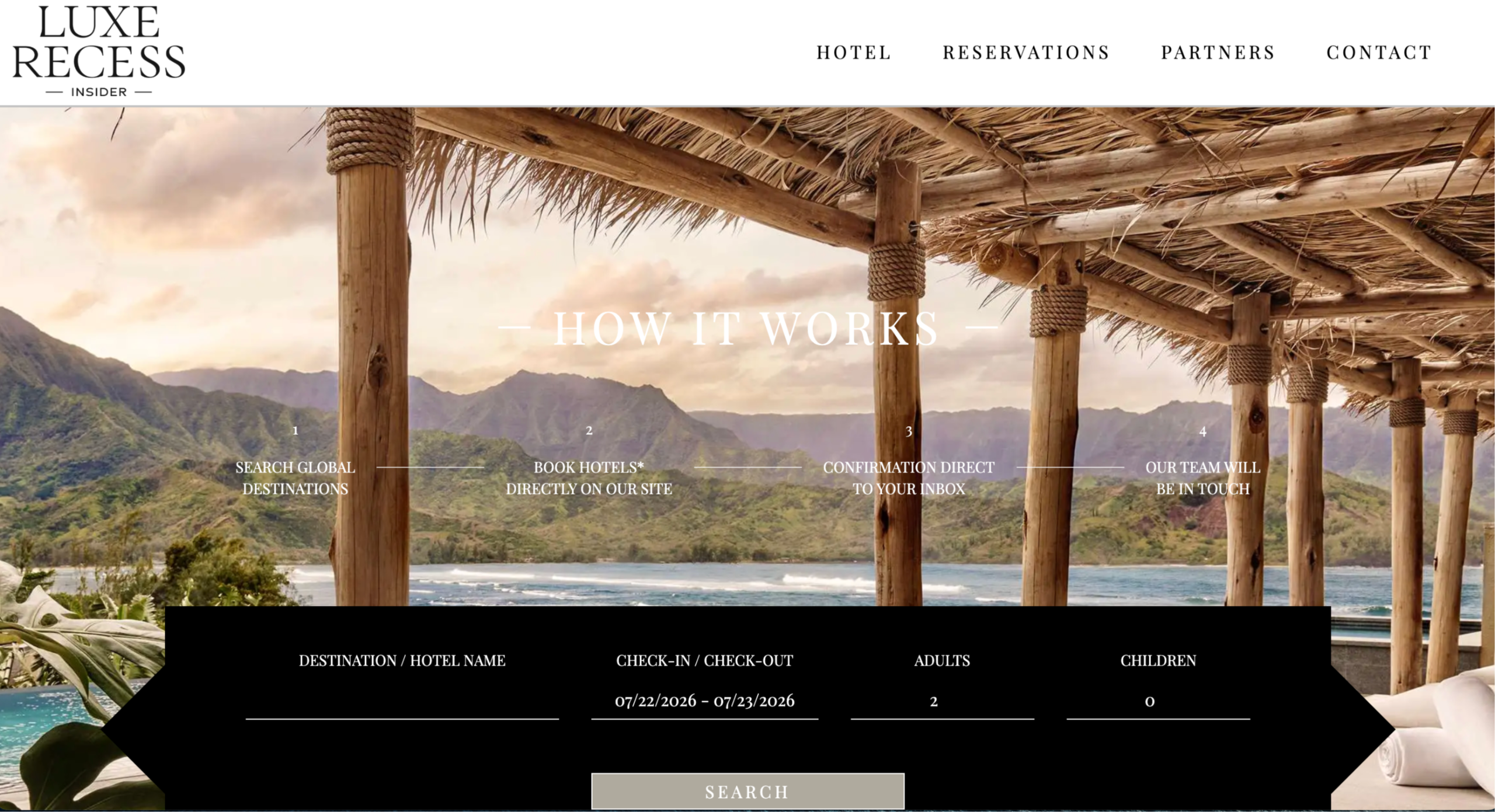
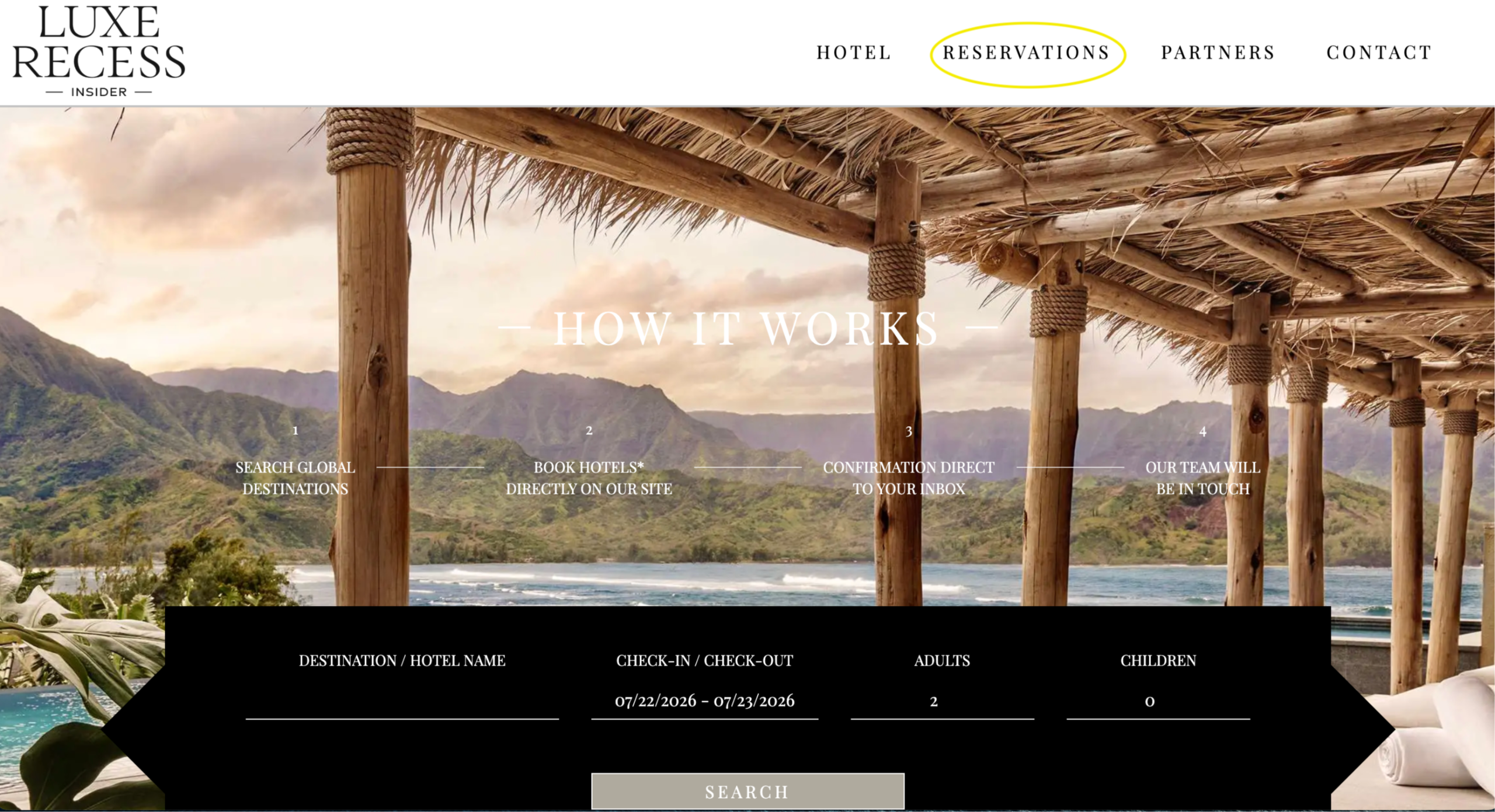
Log into the hotel booking tool homepage and click on the reservations menu at the top of the page (see yellow circle).
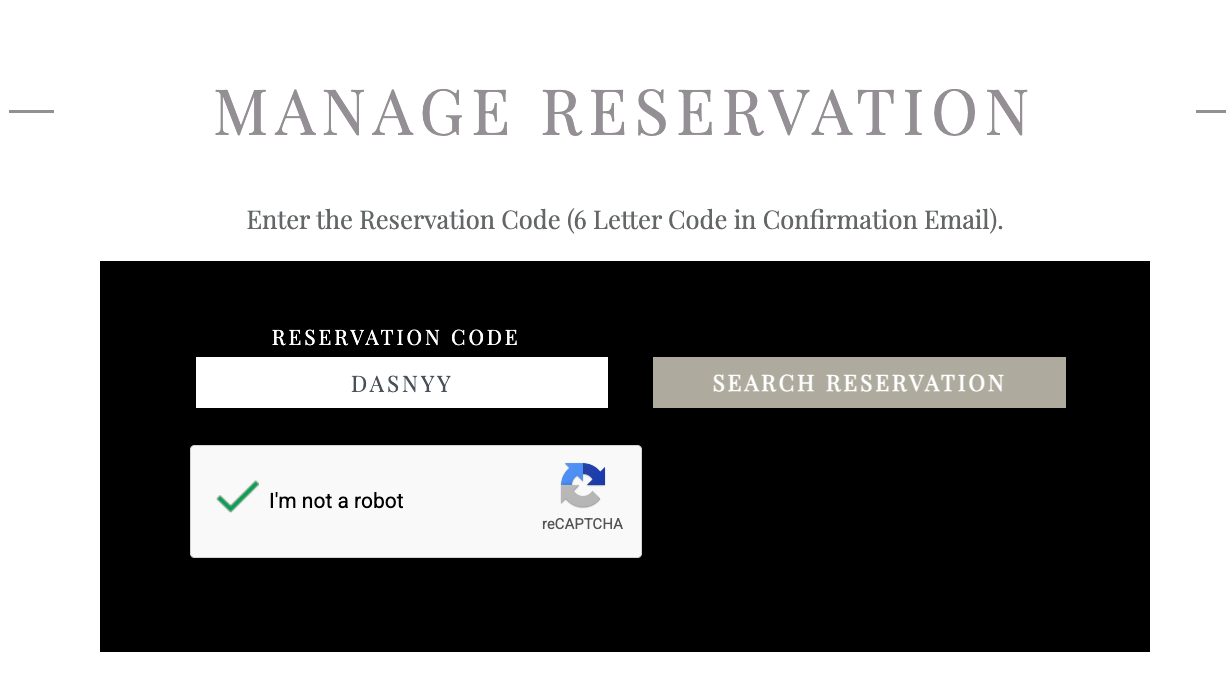
You will then arrive at the reservation management page. In the reservation code box, enter your 6 letter reservation code.
Your reservation code was provided to you in your confirmation email. That email was sent from Luxe Recess Insider, with the email address: confirmation@sabre.com, and the Subject begins with: “Travel Reservation to”.
Once you add your 6 letter reservation code, scroll to the bottom of your reservation details and the “cancel reservation” button is at the bottom of the page.
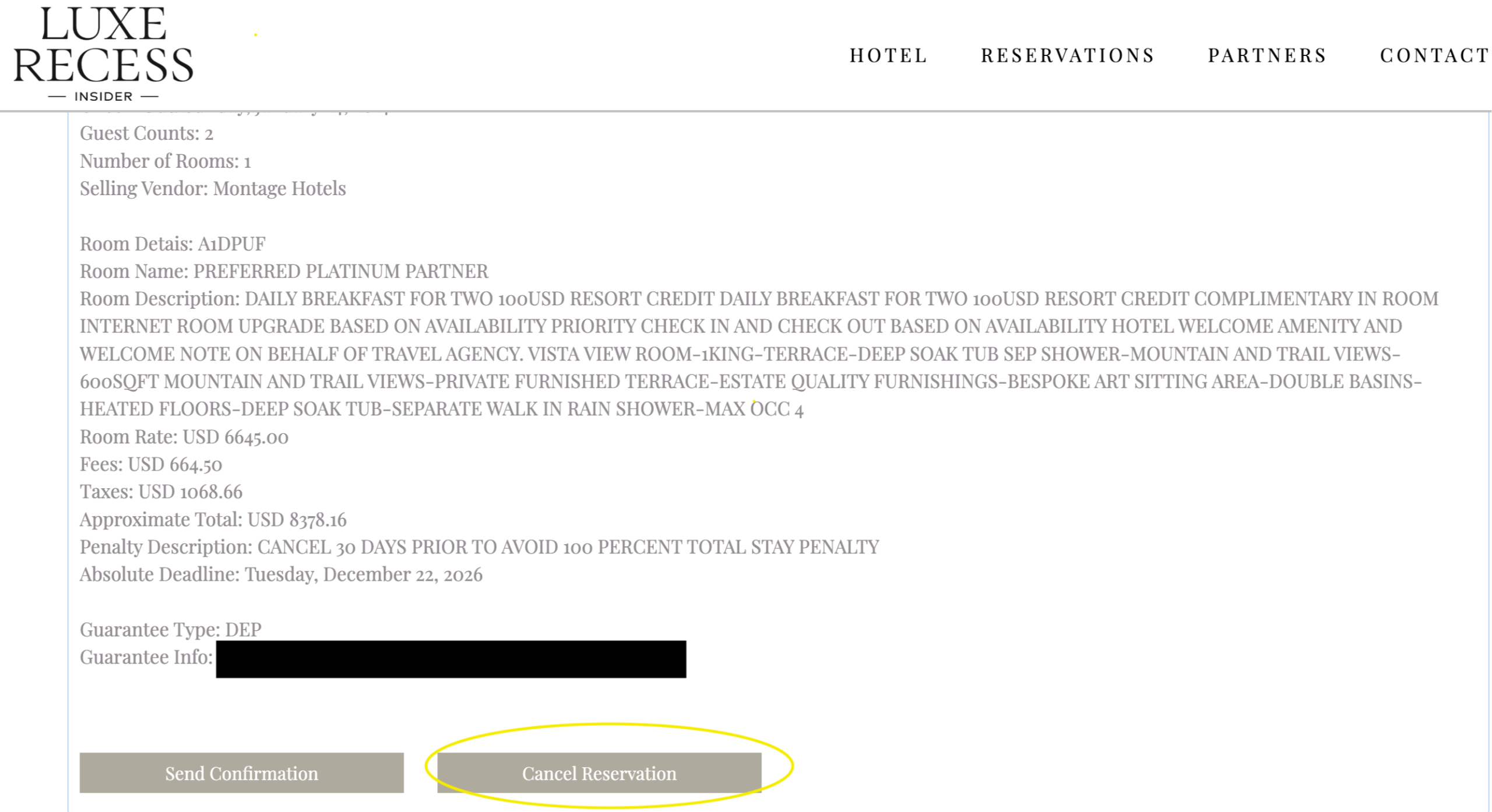
Click "Cancel Reservation". The website will then confirm that you have cancelled your reservation.
NOTE: You may want to take a Screen shot or a photo of your cancellation message. We are working with our booking site partner to improve how the cancellation feature operates. Luxe Recess is also cc'd with your cancellation requesst.
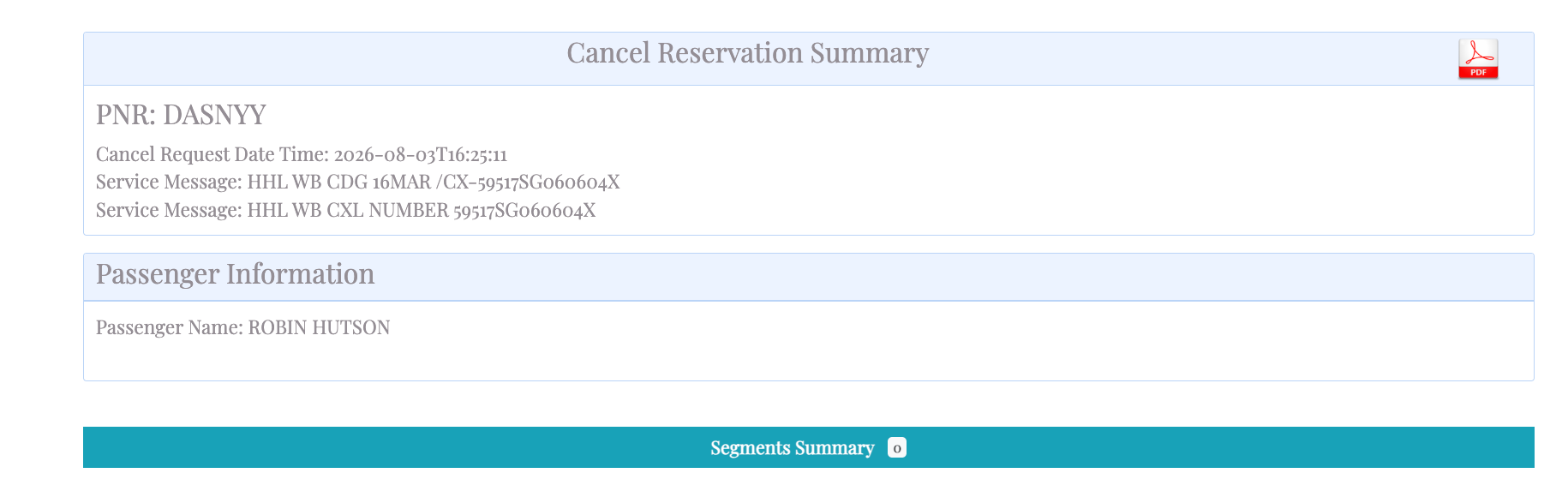
Luxe Recess will send you an email confirming that your cancellation request was received. To confirm that there are no penalties associated with your cancellation, please refer to the cancellation terms from your original booking.